Property Management Software vs Excel: Which Should You Use?
Excel isn't bad. It's just a calculator pretending to be a workflow tool. Here's the honest breakdown of when each one wins.
The Excel-vs-software debate is older than most landlord tools. The wrong way to settle it is to compare feature lists and decide software is "more powerful." Of course it is — that's the whole point. The right way is to ask: at what portfolio size and workflow does Excel start costing you more than it saves?
This is that comparison, with no marketing fluff. By the end you'll know which side of the line you're on and why.
What can Excel do well for landlords?
Excel is genuinely excellent at three things:
- One-time calculations. Mortgage amortization. ROI on a potential purchase. Cash-on-cash return analysis. Excel beats specialized software for any of these because you can build the exact formula you want in 10 minutes.
- Custom analysis. Want to see your average days-to-rent by neighborhood? Compare property tax growth year-over-year? Excel handles ad-hoc questions instantly. Software gives you the reports it gives you, not the reports you might want next Tuesday.
- Cheap and familiar. You already know Excel. You already own it. There's no migration, no setup cost, no learning curve.
For a landlord with 1–2 units, on-time tenants, and a clean accountant relationship, Excel is genuinely fine. Don't let anyone sell you software you don't need.
Where does Excel stop working for landlord workflows?
Excel breaks at the workflow layer. Five specific failure points show up in nearly every multi-property landlord's spreadsheet:
1. Reminders don't send themselves. A spreadsheet shows you that Tenant X's rent is due on the 1st. It doesn't email Tenant X on the 25th. You do that manually, every month, for every tenant. Past 4–5 units, this becomes a part-time job.
2. Tenants can't see anything. Your spreadsheet is your spreadsheet. If a tenant wants a payment receipt, a copy of the lease, or to dispute a charge, you have to dig it out and email it manually. Tenants increasingly expect a portal — when you don't have one, you look like the small operator that you are, and you spend more time fielding individual requests.
3. Status doesn't update on its own. Late rent stays "due" in your spreadsheet until you remember to mark it "late." Lease renewals don't pop into a queue 60 days before expiration. Maintenance requests don't age into a "needs follow-up" status. Everything depends on you remembering to update.
4. Documents live somewhere else. Leases are in a Dropbox folder. Receipts are in your camera roll. Insurance certificates are in an email thread. Excel doesn't store documents, and the more places your data lives, the more time you spend hunting for it.
5. State compliance isn't built in. Excel doesn't know that your California security deposit return is overdue, or that your New York renewal notice should have gone out 90 days ago. You have to know that and remember it. State-specific compliance mistakes are how independent landlords lose security deposit money in court.
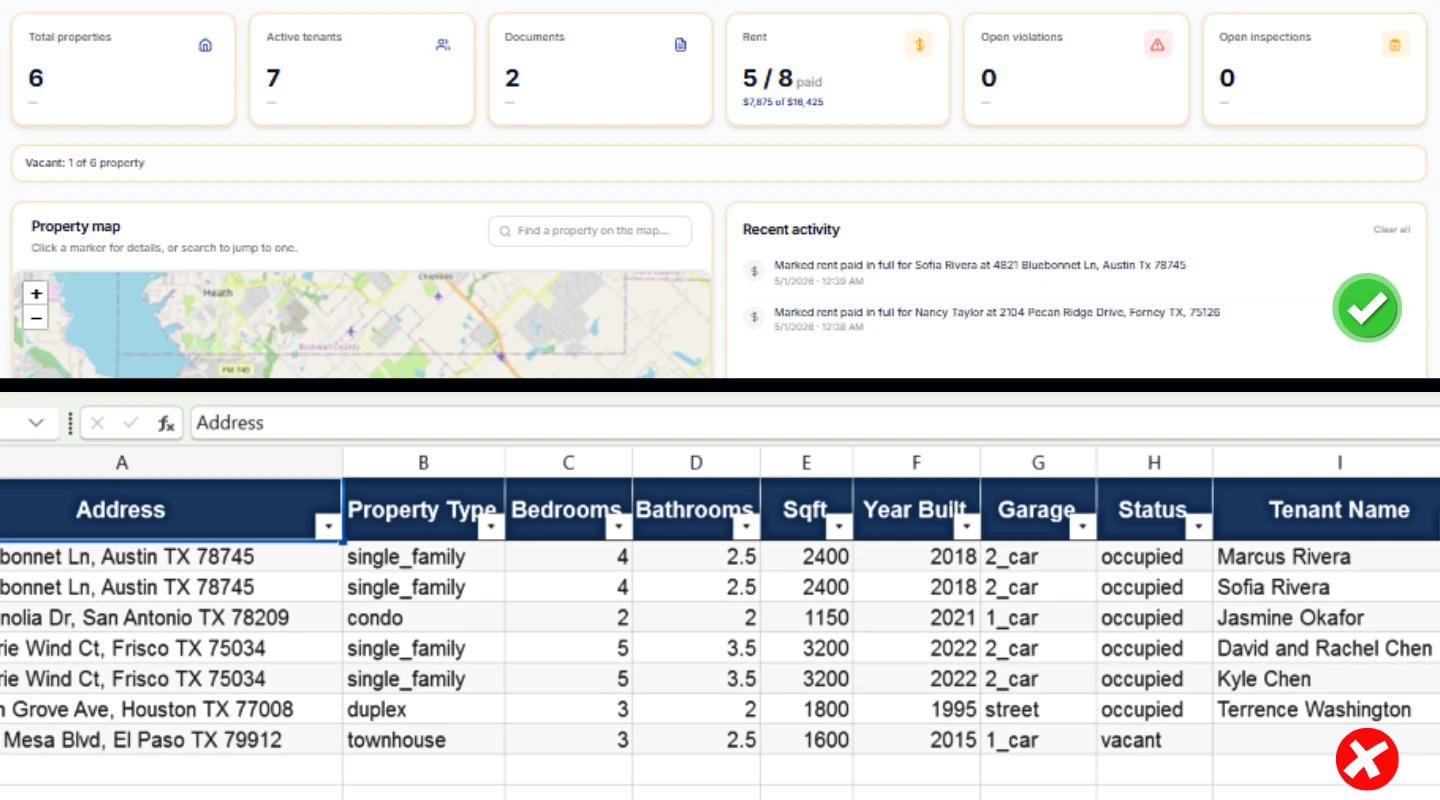
Excel vs property management software: feature-by-feature
Here's the honest comparison, not feature-padded marketing:
| Capability | Excel / Sheets | Property Management Software |
|---|---|---|
| Record a rent payment | Manual entry | Auto-recorded from portal payments, manual entry option |
| Send rent reminders | You email each tenant | Automated, on schedule |
| Apply late fees | Manual math each time | Automatic per lease terms |
| Tenant payment portal | None | Built-in |
| Document storage | Separate (Dropbox, etc.) | Attached to tenant/property |
| Maintenance tracking | Sticky notes / texts | Ticketing with status |
| Lease renewal alerts | Calendar reminders you set | Auto-surfaced 60–90 days out |
| State compliance prompts | None | Built-in for major states |
| Tax summary | Rebuild every April | One-click export |
| Custom analysis | Excellent | Limited to built-in reports |
| Cost | Free / ~$70/year | Free tier to $150/month |
| Learning curve | None | 30 min to get productive |
| Sharing with partner / CPA | Send a file | Add a user |
| Backup / data loss risk | Whatever you set up | Cloud-hosted with redundancy |
| Audit trail | None | Every change logged |
The pattern: Excel wins on flexibility and cost. Software wins on every workflow that involves anyone other than you (tenants, partners, CPAs) or any decision that runs on a schedule.
When does property management software pay for itself?
The break-even is simpler than landlords expect. Three rules of thumb:
Rule 1 — Time math. If you spend more than 2 hours per month on rent tracking, reminders, and follow-ups, software at $20–$50/month already pays for itself. Most landlords value their time at $50–$100/hour internally; even at $30/hour, two hours saved is $60/month.
Rule 2 — Late-rent math. If late rent is a recurring problem, automated reminders typically reduce late incidents by 40–60% in independent landlord studies. One avoided late-rent escalation per quarter often covers a year of software cost.
Rule 3 — Compliance math. A single security deposit dispute lost because of a missed deadline can cost $500–$2,000 plus attorney fees. State compliance prompts that prevent one mistake every two years pay for the software outright.
If none of those apply to you — your tenants always pay on time, you never spend more than 30 min/month on this, you've never had a compliance issue — Excel is genuinely fine. Don't fix what works.
Will I lose flexibility by switching to software?
This is the real concern, and it deserves an honest answer.
You will lose:
- Custom one-off analysis. If you love running ad-hoc pivot tables on your portfolio, you'll miss that.
- Total formatting control. Software gives you the dashboard the software designed.
- The "I know exactly where everything is" feeling. Whether or not the spreadsheet is actually faster, you know where everything is in it.
You will gain:
- Automation of recurring tasks. Reminders, late fees, renewals, status flips.
- Tenant self-service. They pay, request maintenance, see records on their own.
- Built-in compliance and tax prep. Less mental load.
- Time. Materially. The 5-unit landlord who switches typically goes from 4–6 hours/month to under 1 hour/month on portfolio admin.
Most landlords who switch keep the spreadsheet around for ad-hoc analysis (export software data into Excel for one-off questions, then close it). That hybrid is fine — software for workflow, Excel for analysis.
What about hybrid approaches — software plus spreadsheet?
This is what most experienced landlords actually run, and it's a fine endpoint:
- Software runs the day-to-day: tenant data, rent ledger, payments, reminders, maintenance, documents, compliance.
- Spreadsheets run the analysis: ROI projections on potential purchases, multi-year cash flow models, what-if scenarios.
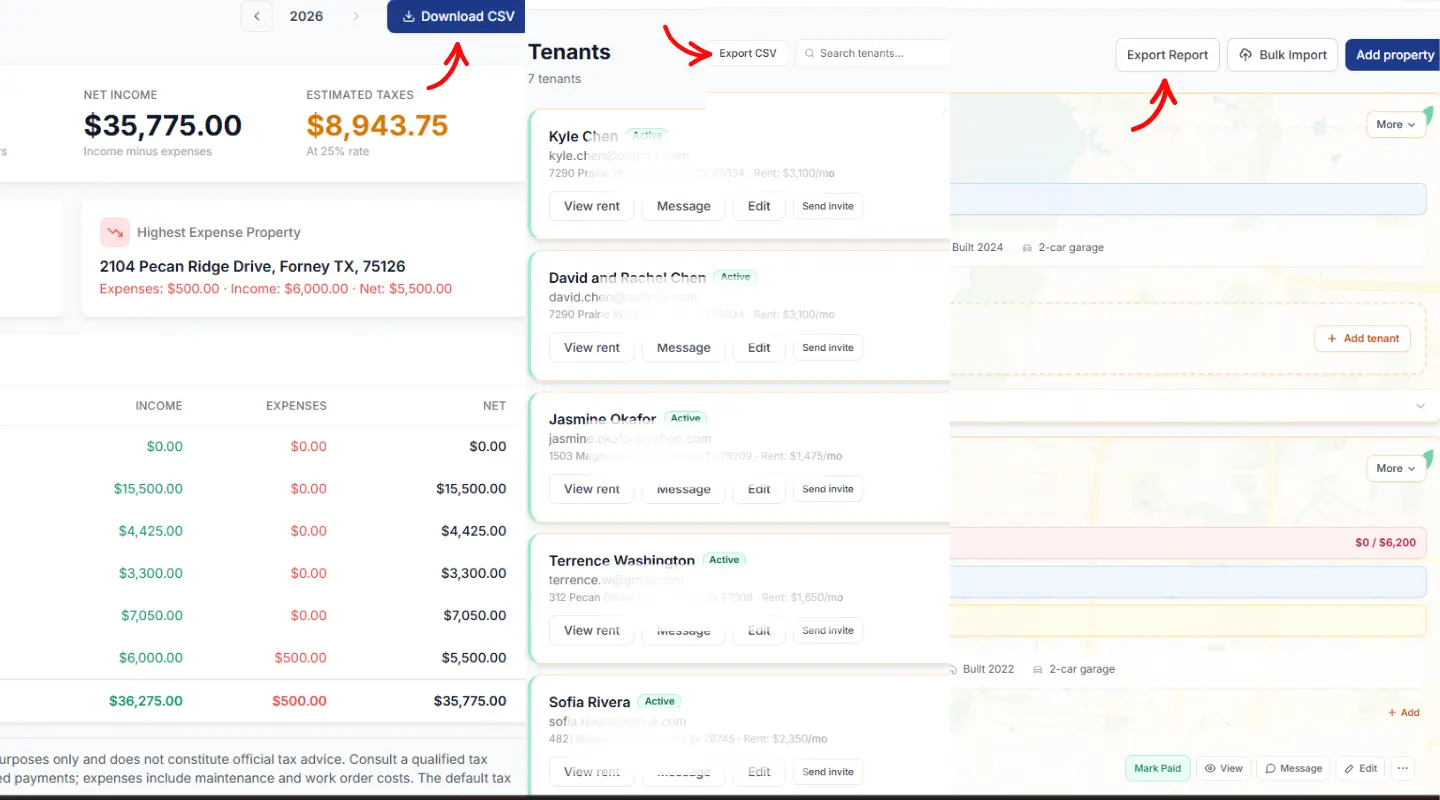
PropertyLens (and most other tools) export every dataset to CSV, so feeding the spreadsheet from the software is one click. You get the workflow benefits of software and the analytical power of Excel without choosing between them.
Which one should you choose?
Here's the decision framework, simplified:
Stay on Excel/Sheets if:
- You have 1–2 units.
- Tenants are reliable and pay on time.
- You don't want a tenant portal.
- You spend less than 90 minutes a month on portfolio admin.
- Your accountant doesn't complain about your records.
Switch to property management software if:
- You have 4+ units.
- You spend more than 2 hours a month on admin.
- Tenants frequently pay late or have questions you have to manually answer.
- You've ever lost a receipt, missed a renewal, or forgotten a security deposit deadline.
- Your CPA charges you extra at tax time because the records are messy.
Try both if:
- You're at 2–3 units and growing.
- Most software has a free tier that covers exactly that range.
How does PropertyLens compare to keeping Excel?
PropertyLens specifically targets the gap Excel can't fill for independent landlords:
- Free for one property forever — so you can run a parallel test against your spreadsheet for a month and decide.
- AI-assisted lease analysis — paste in a lease PDF, get the key dates and clauses surfaced.
- State-specific compliance alerts — security deposit deadlines, notice windows, habitability rules.
- Resident portal included — tenants pay, request maintenance, see records on their own.
- Tax-ready Schedule E export — replaces the April spreadsheet rebuild.
- CSV export of everything — keep your Excel analysis workflow.
If you're at the 4+ unit point and Excel is starting to crack, test PropertyLens for free — no credit card, no time pressure. Run it alongside your spreadsheet for 30 days, then decide.
If you're at 1–2 units and Excel is working, save your money. We'll be here when the portfolio grows.
Ready to stop juggling spreadsheets?
PropertyLens tracks rent, manages tenants, and handles maintenance — free for your first property.
Start freeFrequently asked questions
Is Excel good enough for managing rental properties?
For 1–3 units with reliable tenants, yes. Excel handles rent tracking and basic accounting fine. It breaks down past 4 units, or sooner if you have late-paying tenants, frequent maintenance, or multi-state portfolios. The breaking point is when manual data entry takes longer than software automation would save.
What's the main difference between property management software and Excel?
Excel calculates; software runs workflows. Excel can show you that rent is late; software emails the tenant the reminder, applies the late fee, and flags the case for follow-up — without you doing anything. The difference isn't the data, it's the actions taken on the data.
Can I use Google Sheets instead of Excel for rentals?
Yes, and for most landlords it's better than Excel: cloud-synced, easier to share with a partner or accountant, free. But it has the same fundamental limit as Excel — both are calculators, not workflow tools. They don't send reminders or run a tenant portal.
How much does property management software cost vs Excel?
Excel is free if you already have it (or ~$70/year for Microsoft 365). Property management software ranges from free (PropertyLens free tier) to $50–$150/month for small portfolios, and $250+/month for enterprise tools. The right comparison isn't the dollar cost — it's the cost per hour saved.
Are there free property management software options?
Yes. PropertyLens has a free-forever tier for one property. Stessa, Avail, and TurboTenant offer free tiers with various limits. The free tiers are usually genuinely usable for 1–2 units; the paid plans are aimed at larger portfolios.