How to Track Rent Payments: A Step-by-Step Guide for Landlords
Tracking rent isn't just "did they pay yes/no." The landlords who lose money are the ones who treat it that way. Here is what actually works.
If you own one rental, you can probably hold rent tracking in your head. If you own three, you can't. The transition from "I remember when Maria pays" to "wait, did Unit 4 pay last month?" happens fast — usually right around the time you take on a second property or a tenant who pays in two installments.
This guide walks through what to actually track, how to set up a rent ledger that holds up in court, and the cheap mistakes that turn into expensive ones. It is written for independent landlords with 1–50 units, not for institutional operators.
Why does rent tracking matter beyond "did they pay?"
A rent ledger is three things at once:
- A cash-flow tool. It tells you what is coming in and when, so you can plan repairs, mortgage payments, and tax estimates without surprises.
- A legal document. If you have to file for non-payment in landlord-tenant court, the judge wants a clean ledger showing exactly what was owed, what was paid, and when. A pile of bank statements does not cut it.
- A tax record. The IRS expects you to report rental income on Schedule E. If you get audited, the ledger is your proof of what came in. If your records are messy, you tend to either over-report (and overpay) or under-report (and panic).
Landlords who treat rent tracking as paperwork lose money on all three fronts. Landlords who treat it as a system don't.
What information should you track for every rent payment?
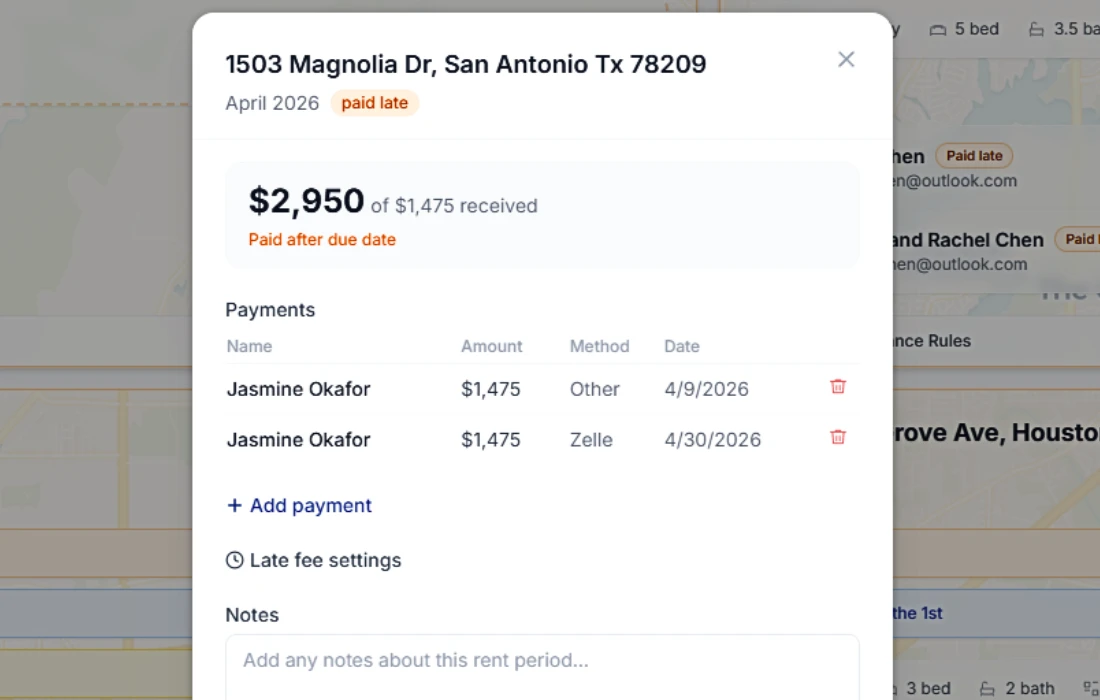
For every payment, record these eight fields. None of them are optional once you have more than one tenant.
| Field | Why it matters |
|---|---|
| Tenant name | Identifies who paid. With co-tenants, record both. |
| Property / unit | Critical when you own multiple properties. |
| Rent due date | The contractual due date, not the day they paid. |
| Amount due | The full monthly rent, including any prorations. |
| Date paid | The actual day funds cleared (not the day check was mailed). |
| Amount paid | What you actually received. Note partial payments. |
| Payment method | Bank transfer, check, cash, money order, online portal. |
| Notes | Late fee assessed, NSF, partial payment, security deposit applied, etc. |
If you skip the "amount due" field and only track "amount paid," you cannot prove what was owed in a dispute. If you skip "due date," you can't calculate late fees correctly.
How do you set up a rent tracking spreadsheet?
A spreadsheet works fine for 1–4 units. Here is the minimum viable setup:
Sheet 1 — Tenants: one row per tenant, columns for name, property, unit, lease start, lease end, monthly rent, security deposit held, contact info.
Sheet 2 — Payments ledger: one row per payment, with the eight fields above, plus a calculated "days late" column (paid_date - due_date) and a status column (Paid, Late, Partial, Unpaid, NSF).
Sheet 3 — Monthly summary: a pivot table or formula-driven view showing total rent collected by month and by property. This is what you'll use at tax time.
Two upgrades that make a spreadsheet 10× more useful:
- Conditional formatting on the status column — green for Paid, yellow for Partial, red for Late or Unpaid. You'll catch problems in two seconds instead of two minutes.
- A "next due" column on the tenant sheet that auto-calculates the next rent due date. This is the column that prevents you from forgetting to follow up on a tenant who never paid this month at all.
Spreadsheets break down past 5–6 units because (a) you start missing entries, (b) you start losing the paper trail when tenants ask for receipts, and (c) you can't easily send reminders. That's the point where most landlords either move to software or start losing money.
What is the best way to track rent payments for multiple properties?
Once you have more than four units, you need three things a spreadsheet can't easily give you:
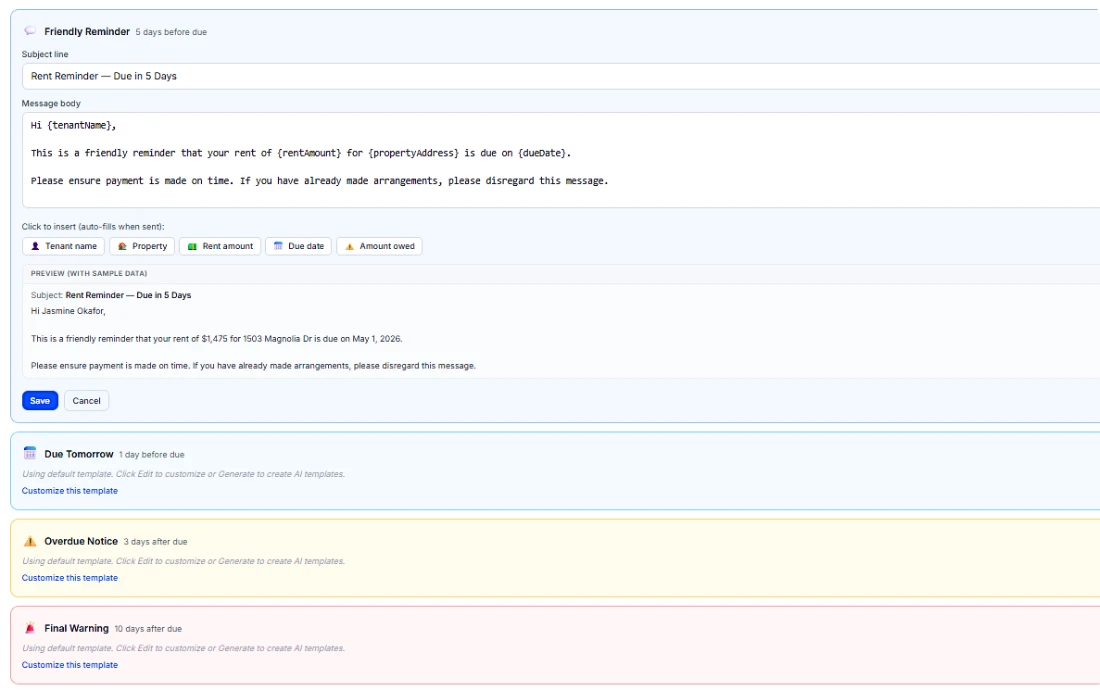
- Automated reminders. Manually emailing six tenants every month on the 25th is a part-time job. A system that sends reminders on a schedule pays for itself in your time alone.
- A tenant-facing record. When a tenant disputes a payment ("I paid on the 3rd!"), the conversation is shorter when they can log into a portal and see the same ledger you see.
- Tax-ready exports. Pulling a Schedule E summary from a spreadsheet means rebuilding the report every year. Software exports it in one click.
Property management software like PropertyLens handles all three. Tenants pay through a portal that creates a payment record automatically; reminders go out on a schedule you set; and at year-end, a tax summary is one button.
How do you handle partial rent payments?
Partial payments are the single most common rent-tracking mistake. The instinct is to record "rent paid" once any money comes in. That instinct is wrong, and in some states it can wreck your right to evict.
The right way:
- Record the partial payment with the actual amount received and the date.
- Log the unpaid balance as still owed, not as paid in full.
- Send a written acknowledgment to the tenant: "Received $800 on March 5. Balance owed: $700. Late fee may apply per the lease."
- Check your state law before accepting. In some states (notably California, New York, and Massachusetts in certain situations), accepting partial rent during an eviction proceeding can reset your legal clock.
If your lease is silent on partial payments, some courts treat acceptance as waiver. Add a "Partial Payments" clause to your lease that says you may accept partial payments without waiving any rights to collect the balance, charge late fees, or pursue eviction.
How long should you keep rent records?
Keep rent payment records for at least 7 years to cover:
- The IRS general audit window (3 years, extended to 6 if substantial under-reporting is alleged).
- State income tax audits (varies, but often 4–7 years).
- Statute of limitations on contract disputes (3–10 years depending on state).
- Security deposit disputes, which can sometimes be raised years after move-out.
Digital records are fine — courts and the IRS accept PDFs and printouts of digital ledgers. What matters is that the records are contemporaneous (created at the time, not reconstructed later) and tamper-evident (you can show the data wasn't edited after the fact).
Tip: Once a tenant moves out, archive their full ledger as a single PDF and store it with the lease and move-out inspection. If a deposit dispute comes up two years later, you don't want to be reconstructing payment history from old bank statements.
What are the most common rent-tracking mistakes?
After watching independent landlords for years, the same five mistakes show up over and over:
- Tracking only "amount received," not "amount due." You can't prove a shortage if you don't track what was owed.
- Recording the wrong date. "Paid date" is when funds clear, not when the check was mailed or when Zelle pinged you with a pending notification.
- Missing late fees. Late fees that aren't recorded and charged become precedent. If you let them slide for six months, a tenant can argue you waived them.
- Mixing rent income with other deposits. If your rent account also receives security deposits, refunds, and personal transfers, your ledger will lie to you at tax time.
- No backup. A single laptop with no cloud backup is one coffee spill away from a tax-time disaster.
How does PropertyLens track rent payments?
PropertyLens does the boring parts for you. When a tenant pays through the portal, it records the date, amount, method, and tenant automatically. When rent is due, reminders go out on the schedule you set. Late status flips automatically based on the grace period in the lease. And at year-end, the tax summary export gives you a Schedule E–ready breakdown in one click.
If you'd rather record payments manually (because you take checks or cash), the manual entry takes about 8 seconds per payment and produces the same court-ready ledger.
The free plan covers one property and two tenants — enough to test whether the workflow fits how you actually run your portfolio. Start free →
What's the difference between a rent ledger and a rent roll?
These get confused often, and they are not the same thing:
- A rent ledger is the per-tenant payment history. It shows every payment, every late fee, every adjustment, in chronological order. This is what you bring to court.
- A rent roll is the portfolio-level snapshot. It shows every unit, who lives there, what rent they pay, and the lease end date. This is what you show a buyer or a lender when you're refinancing.
You need both. The ledger is generated from the payments table; the rent roll is generated from the tenants table. Most software (including PropertyLens) generates both automatically from the same underlying data.
Ready to stop juggling spreadsheets?
PropertyLens tracks rent, manages tenants, and handles maintenance — free for your first property.
Start freeFrequently asked questions
What information should a rent ledger include?
At minimum: tenant name, property/unit, rent due date, amount due, date paid, amount paid, payment method, and notes (partial payment, late fee, NSF, etc.). If you ever end up in landlord-tenant court, this is the document the judge wants to see.
Can I just use my bank statement to track rent?
No. Bank statements show deposits, not what was owed. They do not capture late fees, partial payments, NSF events, security deposit interest, or which tenant paid which portion of split rent. Use them as a reconciliation source, not a ledger.
How long should I keep rent payment records?
Keep at least 7 years to cover the IRS audit window. Some states require longer for security deposit disputes. Digital records are fine — most courts accept a printed PDF of a ledger as evidence.
What if a tenant pays partial rent?
Record the partial payment as received, but log the unpaid balance as still owed. Most states have specific rules about whether accepting partial rent waives your right to evict — check your state law before accepting and document everything in writing.
Should I charge a late fee, and how do I track it?
Late fees are allowed in most states but capped (often 5–10% of monthly rent) and usually require a grace period (3–5 days) written into the lease. Track late fees as a separate line item from rent itself, never bundled. This keeps your accounting clean for taxes and court.